
A full desktop workspace
Menu bar, context-sensitive property bar, toolbox with flyouts, dockable panels, colour palette, rulers, guides and a page navigator, set out for long working sessions.
Open source · latest release · alpha
A clean-room vector editor written from scratch in pure Rust. Curves and nodes, live effects, paragraph text, PDF/X and real .cdr files, in one native program for Windows, macOS and Linux, and in the browser.
Free for everyone · MIT or Apache-2.0 · no account, no telemetry
Screen recording of the real program running in the browser, trimmed, with the pointer drawn in. No mock-ups, no AI-generated interface.
.cdr versions readMenu bar, context-sensitive property bar, toolbox with flyouts, dockable panels, colour palette, rulers, guides and a page navigator, set out for long working sessions.
No Electron and no web view. It runs on PCs from 2010 with OpenGL 2.1, and the same code runs in the browser as WebAssembly.
A clean-room .cdr reader for versions 1 to 27 and a writer for 7 to 27, plus SVG, PDF, AI, EPS, DXF, PSD, EMF, WMF and HPGL.
Every change is a command with undo, so the window, the command line, JavaScript and an MCP server all drive the same engine.
Features
Every picture below is TraceDraw itself, captured headless from drawings made from scratch.
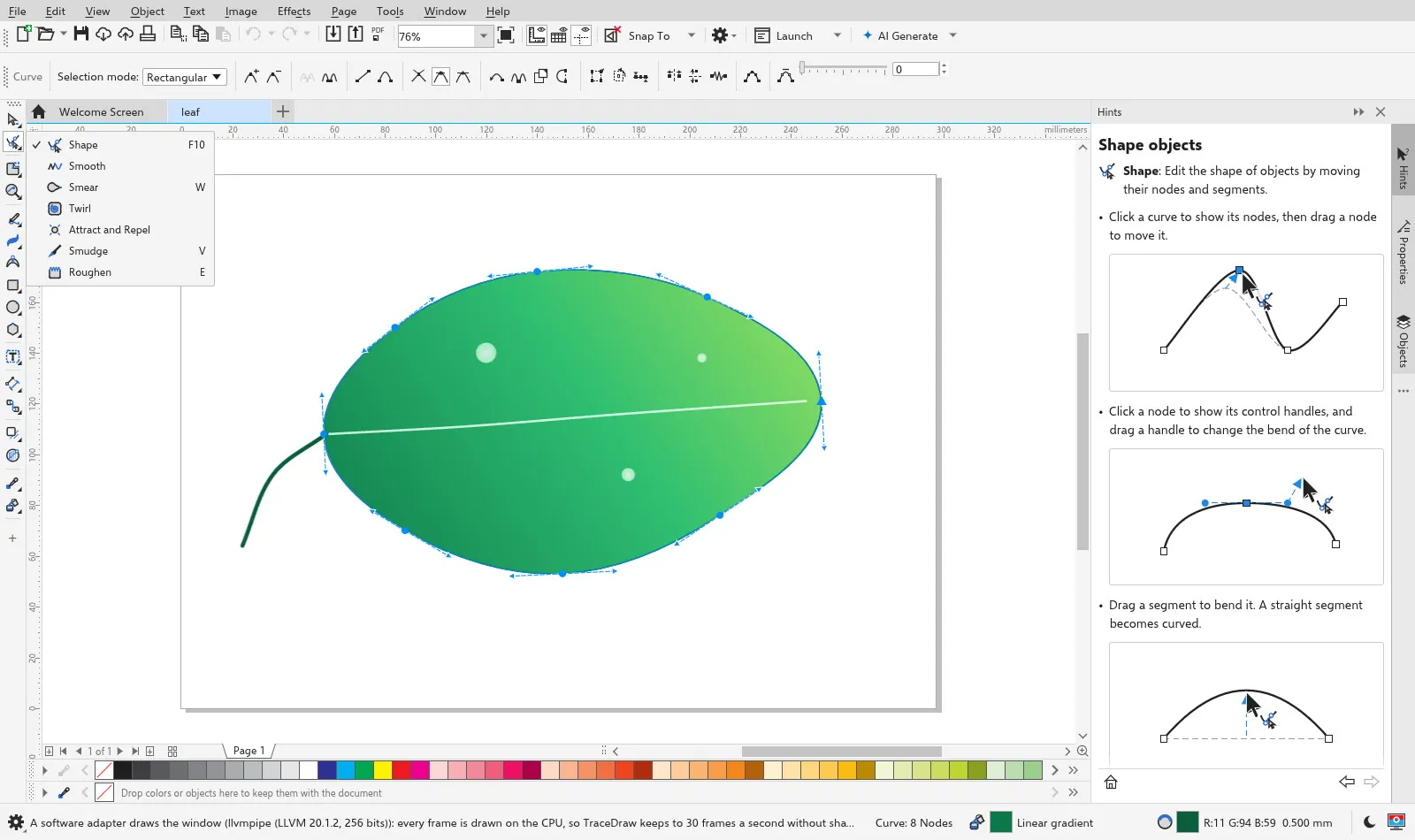
Draw with Freehand, Bezier, Pen, B-Spline, Polyline and 3-Point Curve, then work the nodes: cusp, smooth and symmetrical, join, break, reduce, align, and an elastic mode that moves a whole run of nodes.
Weld, trim, intersect and simplify; Smear, Twirl, Attract, Repel and Roughen; Knife, Eraser and Crop reshape the rest.
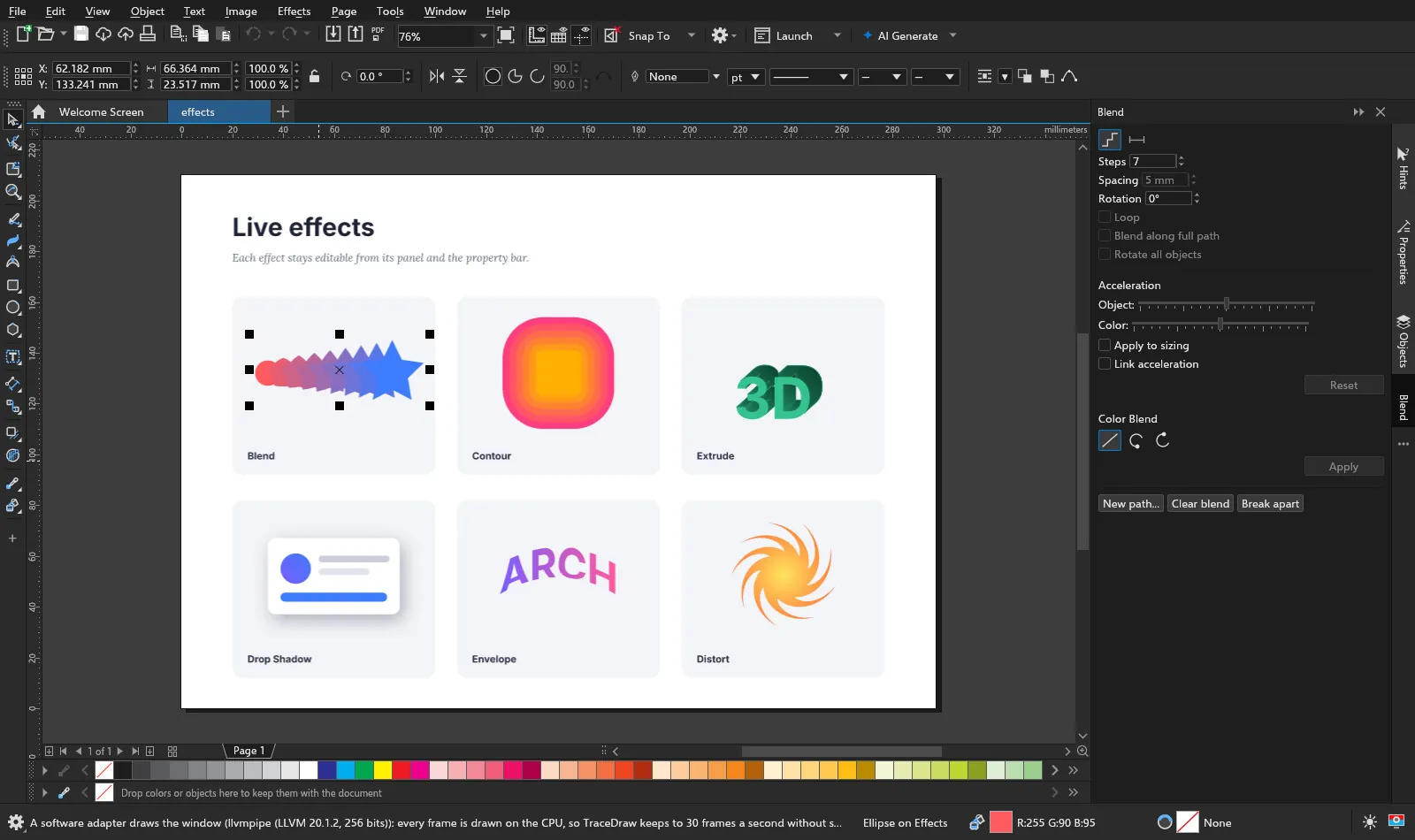
Blend, Contour, Extrude, Drop Shadow, Block Shadow, Envelope, Distort, Perspective, Bevel, Symmetry, twelve Lens types and Transparency with merge modes.
Each one stays with its object and stays editable: change the steps of a contour, send a blend along a path, move an envelope's nodes.
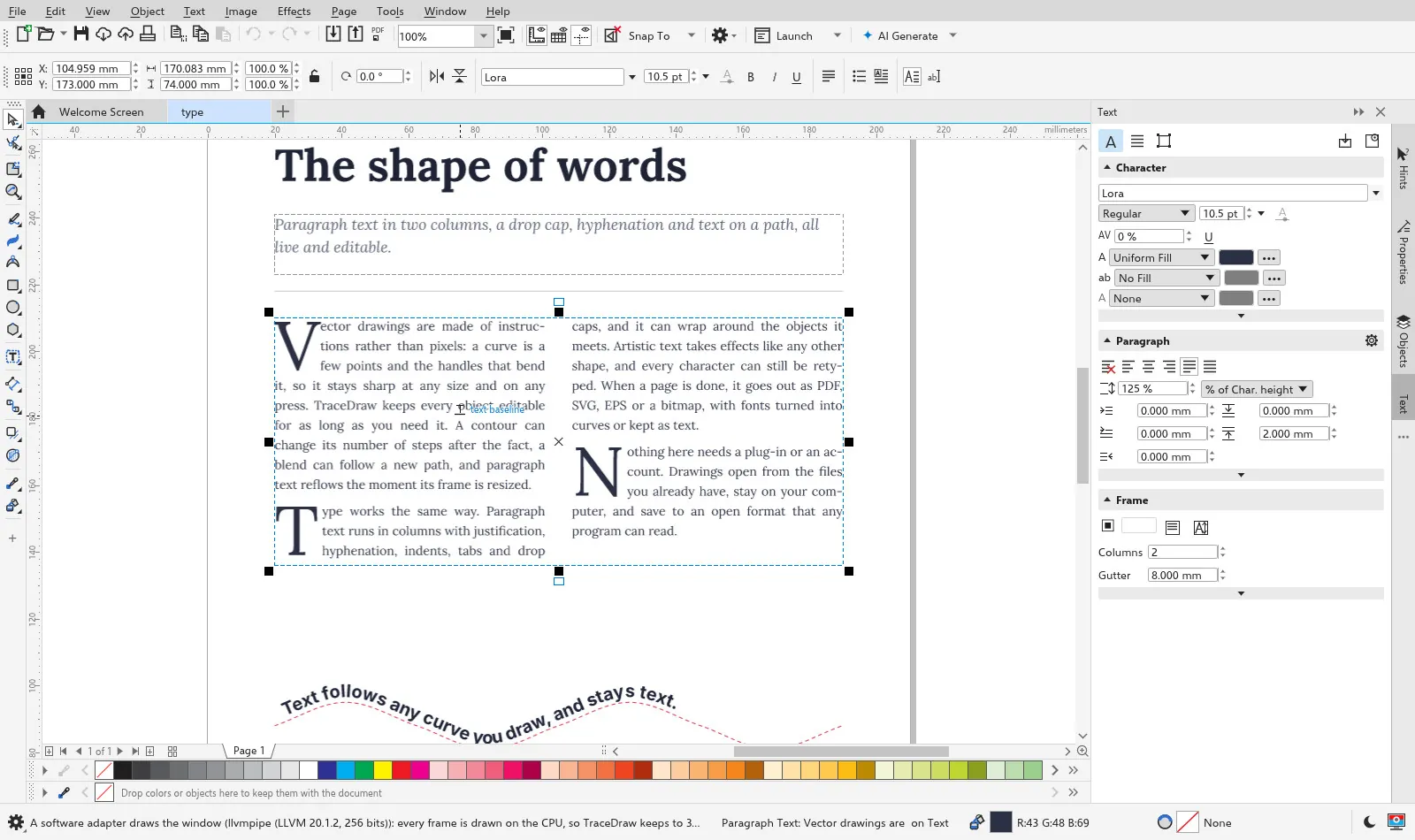
Artistic text for headlines and paragraph text in frames: columns, justification, hyphenation, tabs, bullets, drop caps, text wrapped round objects and text on a path, with OpenType features from your system fonts.
Spell check, find and replace, a glyph browser and a font manager keep long documents in order.
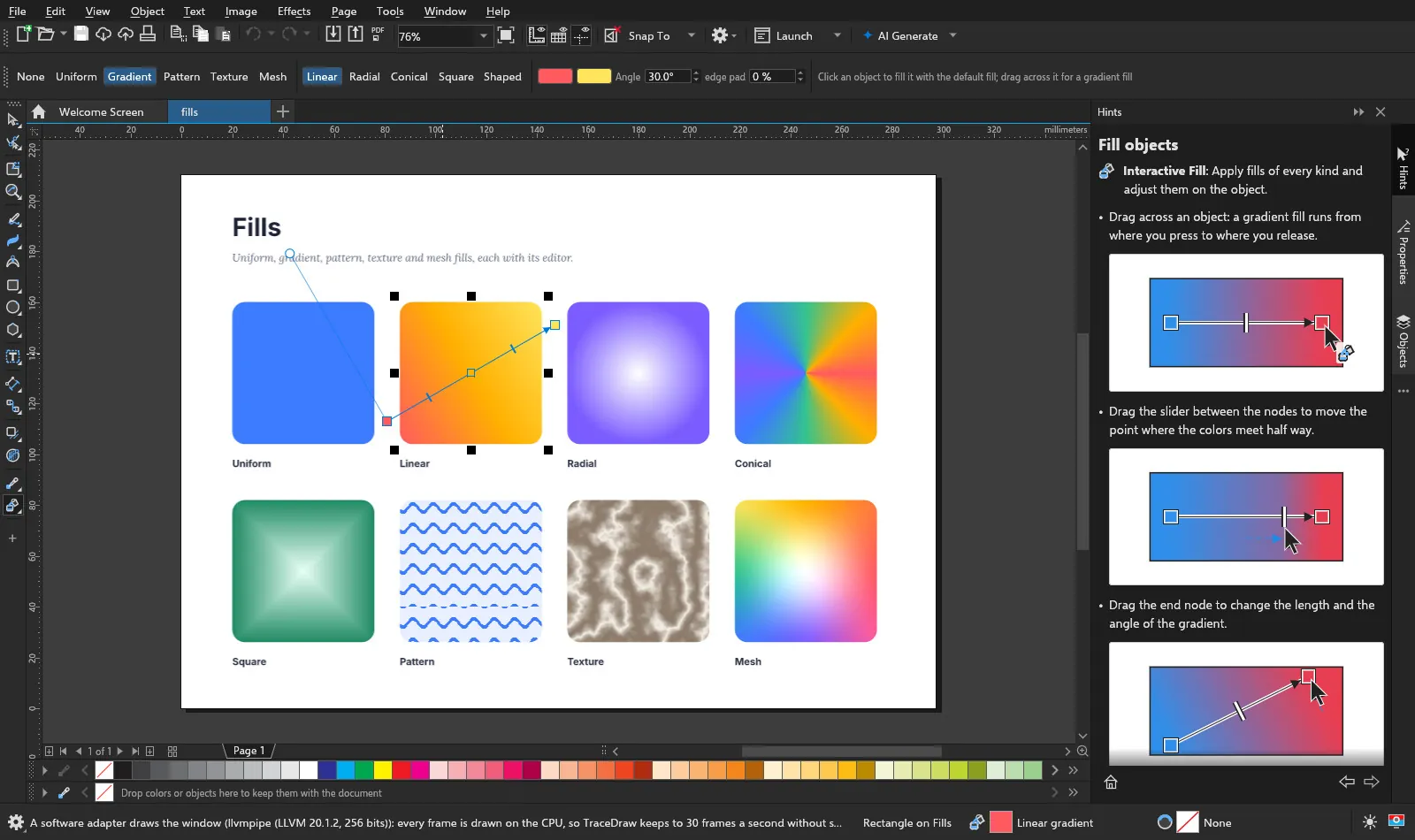
Uniform colour in RGB, CMYK, Gray, HSB, HSL, Lab and YIQ; gradients with any number of stops; bitmap and vector patterns; procedural textures and mesh fills, all edited right on the object.
Outlines take widths, dashes, arrowheads, calligraphic nibs, caps and corners.

Trace Bitmap turns images into editable curves: outline tracing in up to 256 colours, centreline tracing and eight presets, previewed before it is made.

98 bitmap effects in fifteen groups, each with a before-and-after preview, plus colour masks, background removal on your own computer, straighten and crop.

Twelve painterly brushes, from chalk and charcoal to watercolour and silk ribbon. A brushstroke stays a curve you can reshape, recolour and export to SVG and PDF.

One-, two- and three-point grids with vanishing points you drag. What you draw lands on the floor, a wall or the ceiling as an editable perspective effect.

Business cards, flyers, a poster, a letterhead, a certificate, an invoice, a banner and more, every part an ordinary editable object. Save your own drawings as templates.

Create pictures and vectors from a prompt, remove backgrounds, or draw with words. TraceDraw has no AI or account of its own: you connect the services you choose, local ones included, and nothing is sent until you ask.

SVG, PDF with PDF/X-1a, X-3 and X-4 and bleed, EPS, AI, DXF, EMF, WMF, HPGL, PSD and HTML, and bitmaps at any resolution. Data Merge fills a design from a CSV file.

19 interface languages, Arabic with a right-to-left layout among them, with system fonts found for every script. Switch at once from the options.
.cdr files
TraceDraw's .cdr support lives in its own crates, written from public format notes and from files the project owns, never from decompiled programs or other implementations. CLEANROOM.md records where each piece of format knowledge comes from.
.cdr saves in its own version unless you pick another.Have a .cdr that does not open right? Send it in an issue. Sample files improve the reader more than anything else.
Made to be automated
Every menu item, tool and panel builds a command for one engine, with undo and redo. The window, the command line, the JavaScript object model and the MCP server all go through it.
# Convert between any format TraceDraw opens and any it writes
tracedraw-cli convert poster.cdr poster.pdf
TRACEDRAW_DPI=300 tracedraw-cli convert poster.tdraw poster.png
TRACEDRAW_PAGE=2 tracedraw-cli convert brochure.cdr page2.png
TRACEDRAW_CDR_VERSION=15 tracedraw-cli convert logo.svg logo.cdr

# Look inside a .cdr: the chunk tree, and what the reader made of it
tracedraw-cli inspect drawing.cdr
tracedraw-cli info drawing.cdr
// A fan of twelve rounded bars, each a little more orange.
for (let i = 0; i < 12; i++) {
const bar = ActiveLayer.CreateRectangle(80, 120, 60, 12, 3);
bar.Fill.ApplyUniformFill(Color.RGB(255, 60 + i * 15, 60));
bar.Rotate(i * 15);
}# Serve the editor to an AI agent over the Model Context Protocol
tracedraw --mcp
# ... or let the agent edit the drawing open in the window
# (Options > Global > General > Let AI agents on this computer edit the open drawing)
tracedraw --mcp-windowThe Scripts panel records macros as JavaScript, and VBA macro projects run in the editor on every platform. MCP tools · VBA macros
Under the hood
A CPU rasteriser on tiny-skia draws the canvas, the exports and the previews, so what is on screen is what comes out.
Direct3D 12, Vulkan or Metal, then OpenGL, then a software adapter: whichever the computer can open. A start that comes up black restarts with the next renderer by itself.
Fonts from the system through fontdb, shaping with rustybuzz and a paragraph engine of its own.
Format support from public notes and owned files only; no proprietary code or assets.
About 2,200 tests, including format round trips, malformed input and headless visual checks that drive the real app.
No account and no telemetry. The only automatic connection is an optional daily update check, and it asks first. Privacy policy
Download
Every version gets a release with installers for every platform. What changed is in the changelog.
Windows 10 and 11, x64; 32-bit Windows 10 too
Installer (x64)macOS 11 or later
Apple silicon (.dmg)x86_64 and arm64, glibc 2.35 or later
AppImage (x86_64)Any current browser; installs as an app on tablets
Open TraceDrawAll files and the nightly build are on the releases page. Each download includes tracedraw-cli next to the editor.
Help wanted
TraceDraw is young and has barely met real users. Issues are looked at every day, and each one is answered.
.cdr that does not open right is the most useful bug report there is.